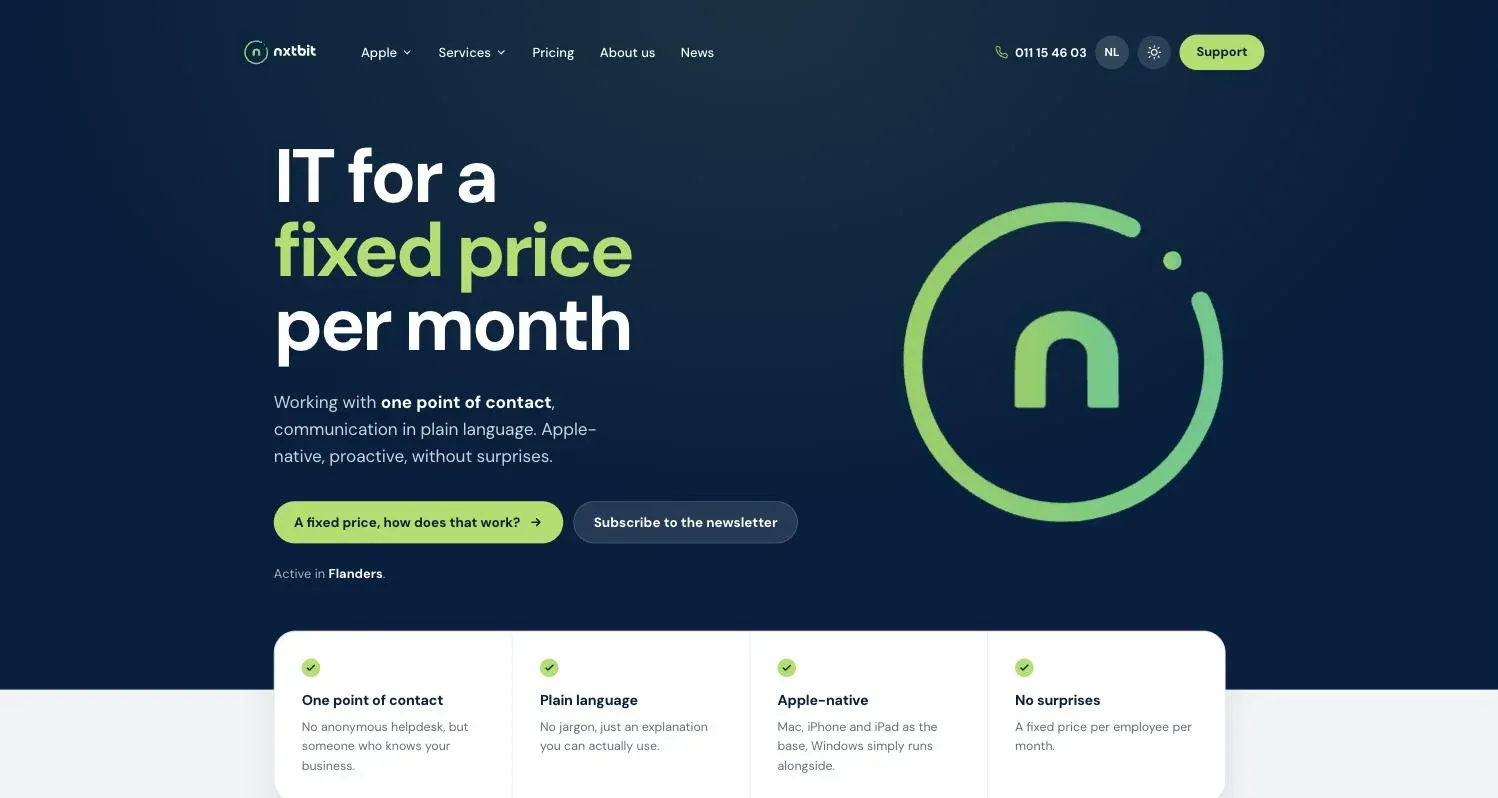
New look, same nxtbit. Fancy popping in?
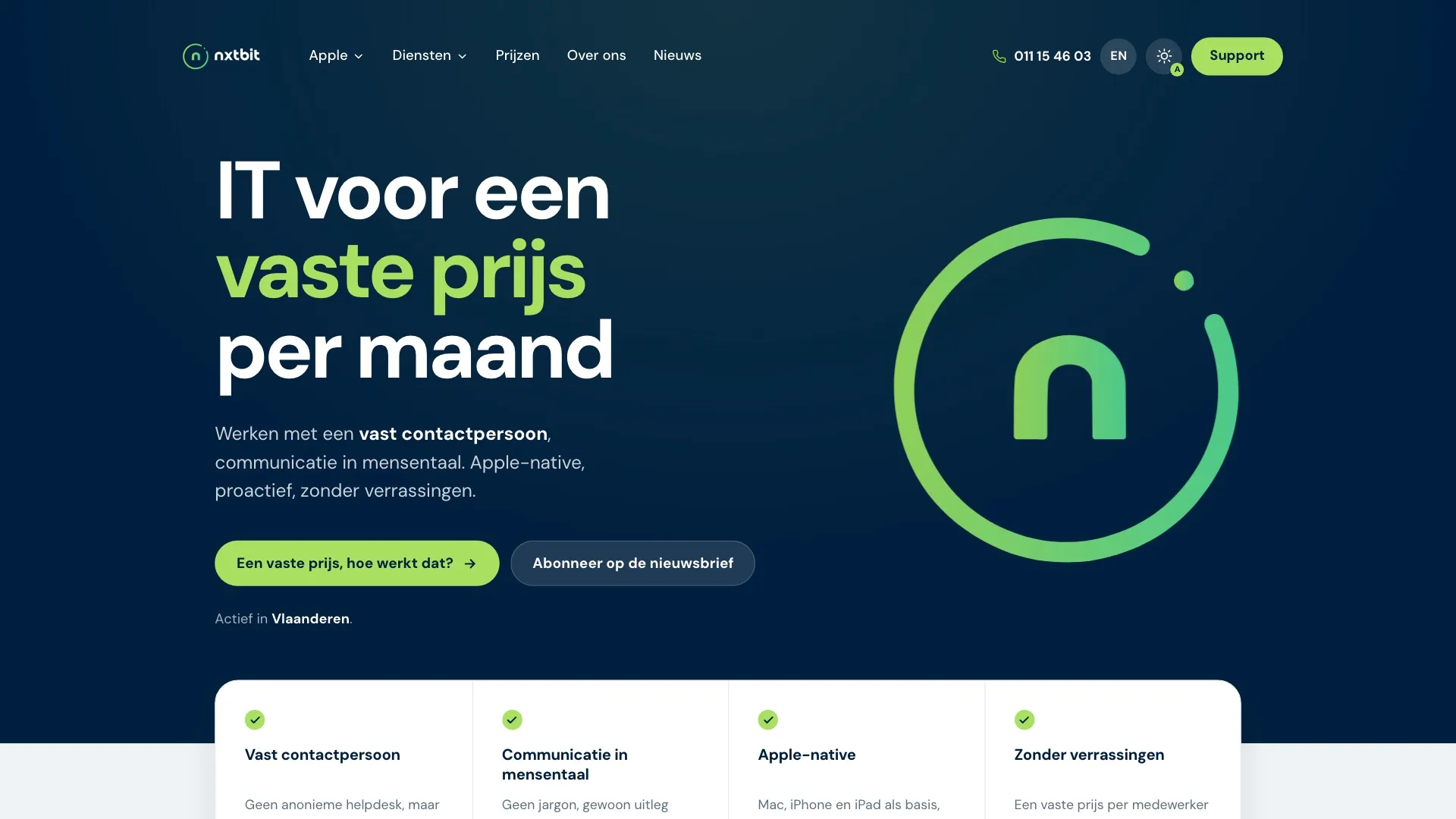
nxtbit.be has been completely redesigned: a light and dark theme, an English version, dedicated pages for each sector (starting with architecture and construction and with estate agencies, with more to come), interactive explanations of our services and cybersecurity, and a customer portal where you approve and sign quotes digitally.
Reading time ± 7 minutes
Our old website did its job. It told you who we are, what we do and what it costs. The trouble was, it mostly told. For an IT partner that promises to explain everything in plain language, that felt a bit like a chef who never tastes their own cooking.
So we went back to the drawing board. And you can take that literally: the new nxtbit.be has drawings you can click on, a working day you scroll through and a portal where a few clicks are all it takes to say yes to a quote.
Go ahead and make yourself a coffee. We'll show you around.
For early birds and night owls
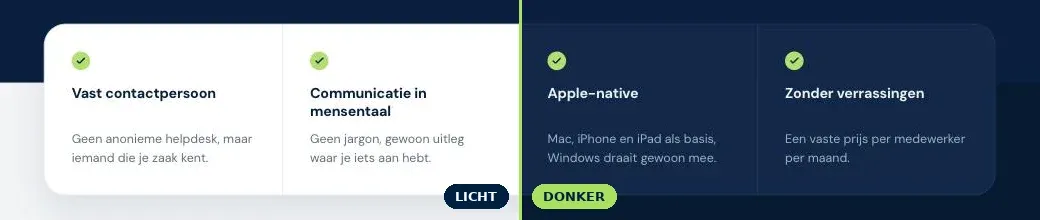
At seven in the morning, you want a bright, fresh page. At half past ten at night, with your Mac long since in dark mode, not so much. At that hour, a glaring white website feels like someone walking in without knocking and switching on the big light.
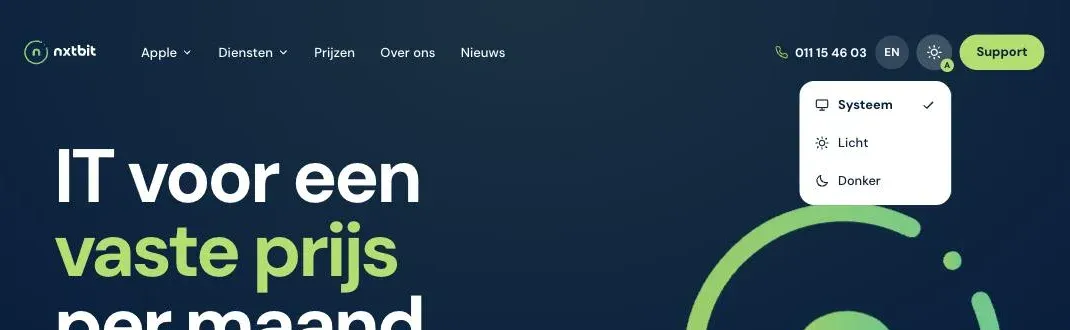
So now the choice is yours. At the top right there's a theme button with three settings: Light, Dark or System. That last one is the lazy option, which makes it the best: the site simply follows your Mac, iPhone, iPad or Windows PC. Does your device switch to dark in the evening? Then so do we, without you lifting a finger.
Do you speak English? Now we do too.
Not everyone who has a say in a company's IT speaks Dutch. A colleague who speaks another language, a business partner, a parent company abroad: until now, you were their interpreter.
Consider yourself off duty. With the EN button at the top, you can read our homepage, all our services and our about us page in English. Even the interactive office drawing speaks fluent English.
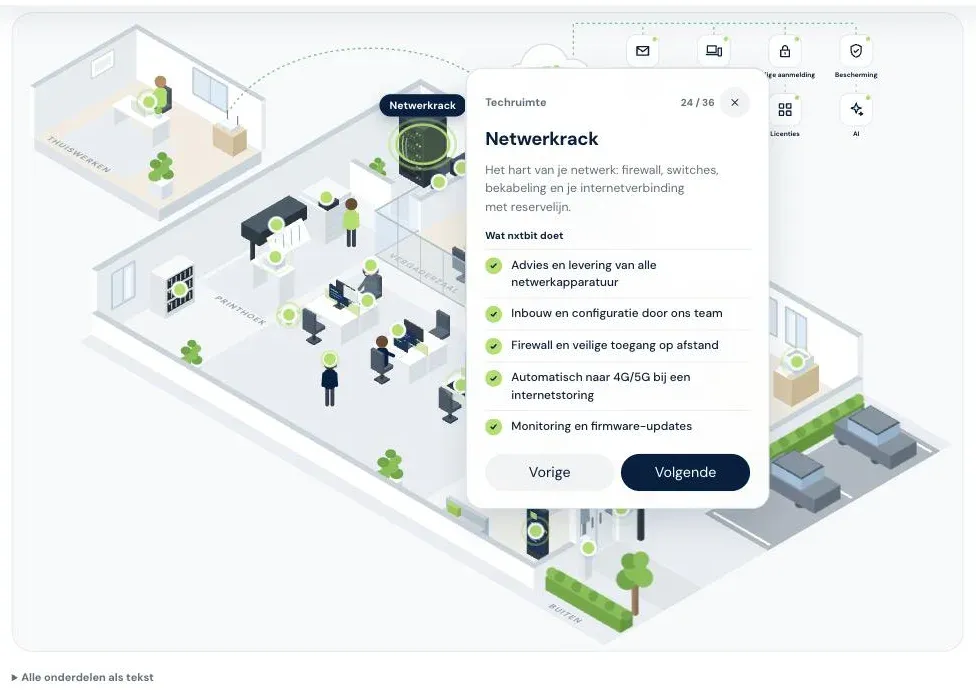
An office you can click your way around
"So what exactly do you do?" We get asked that so often that we could answer it in our sleep. The problem is that it's a long answer. Managed IT touches almost everything in an office.
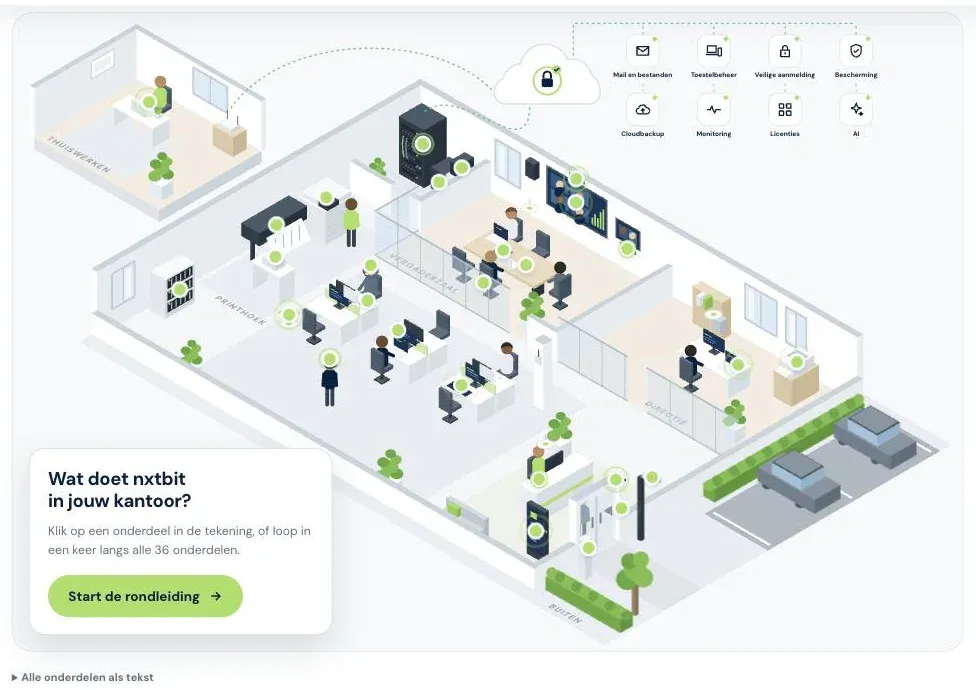
So rather than listing it, we now show it. On the Services page, you walk through an entire SME office: the meeting room, the manager's office, the print corner, the open workspace, reception, the outside with the car park and even the home office. There are 36 items you can click on, from laptop and printer to Wi-Fi, network cabinet, backup and monitoring.
Click an item and you'll see straight away what it is and what we do for it: from advice and supply to installation, management and support.
Want to see the lot? Start the tour and you'll pass all 36 items in one go. A bit like a museum visit, only with fewer attendants keeping an eye on you.
A perfectly ordinary working day (with a catch)
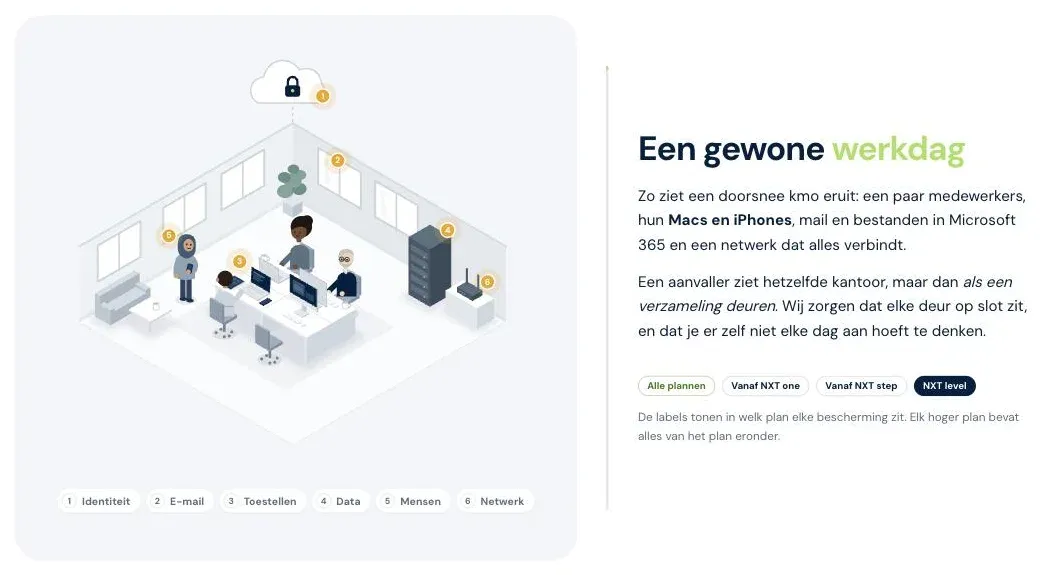
Cyberattacks rarely start with sirens and red screens. Usually it's an email that looks genuine, a laptop left behind on the train or a password that's been around for years. Dull, but dangerous.
That's why the new site tells cybersecurity as a story. On the Cybersecurity page, you scroll through an ordinary working day in a small office. You see colleagues, Macs and iPhones, email and files in Microsoft 365. An attacker sees a collection of doors. We keep those doors locked with six layers of protection: identity, email, devices, data, people and network.
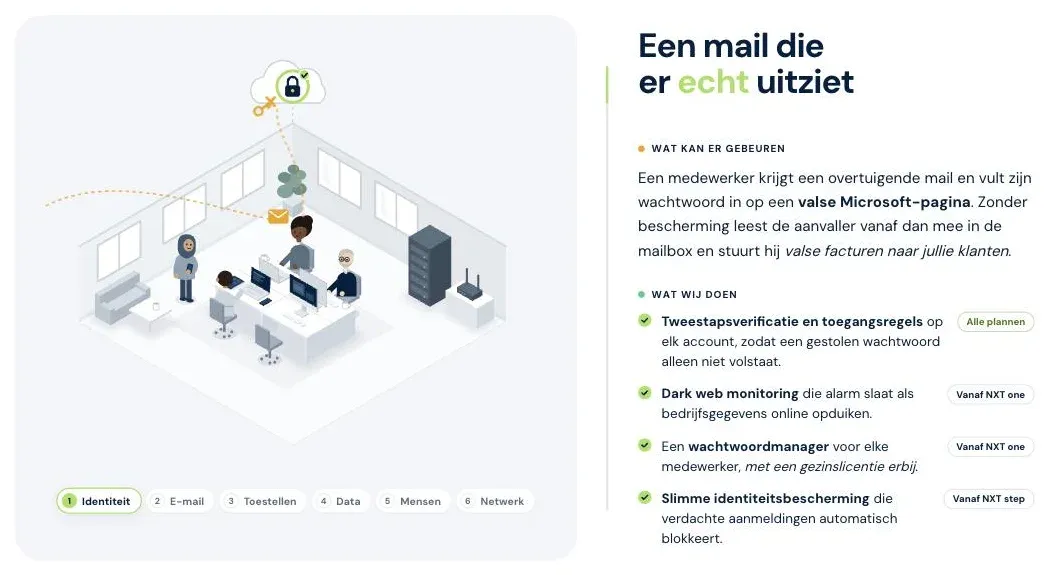
As you scroll, the threats appear one by one. For each scenario, you see what can happen and what we do side by side, along with the NXT plan that includes that protection. And because even the best security is no guarantee, we finish with our six-step incident plan: detection, reporting, containment, recovery, notifying third parties and learning the lessons. That way you know in advance what will happen, instead of having to work it out at the worst possible moment.
Pages that speak your trade's language
An architecture practice and an estate agency both need IT. But their days look nothing alike. That's why sectors now get their own page, which starts from how they actually work rather than from our list of services.
Architecture and construction is all about working together on heavy files. Teamwork projects that need to sync smoothly, licences for Archicad, Vectorworks, SketchUp and Adobe that add up, plans you can share with contractors and consulting engineers without any detours, and workstations that don't take a render as a personal insult. You design and build. We keep your IT plumb and level.
Estate agencies spend more time out and about than in the office. The office line forwards to your smartphone, client files sit in one secure place with the right permissions for each employee, and a smartphone left behind at a viewing doesn't turn into a data breach. You sell. We hand you your IT ready to move into.
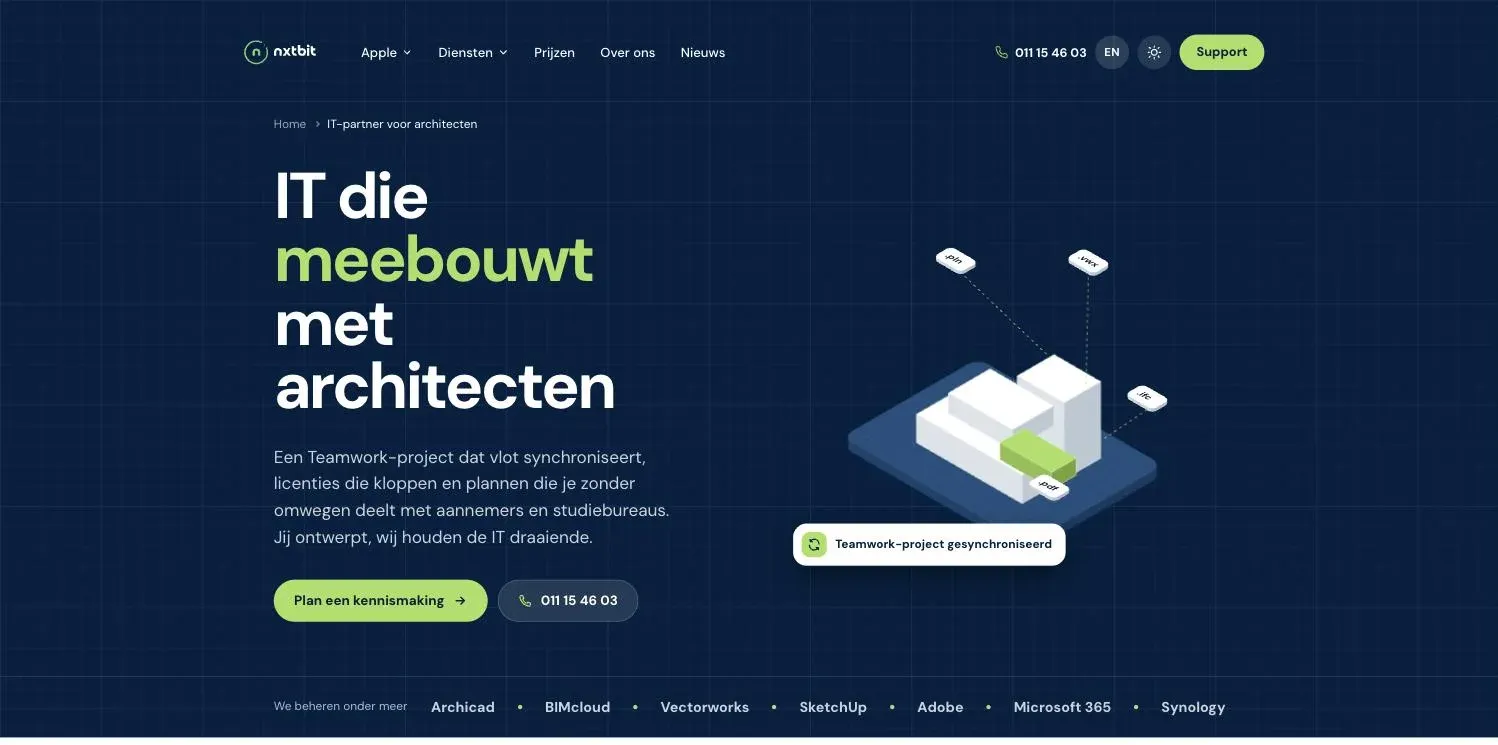
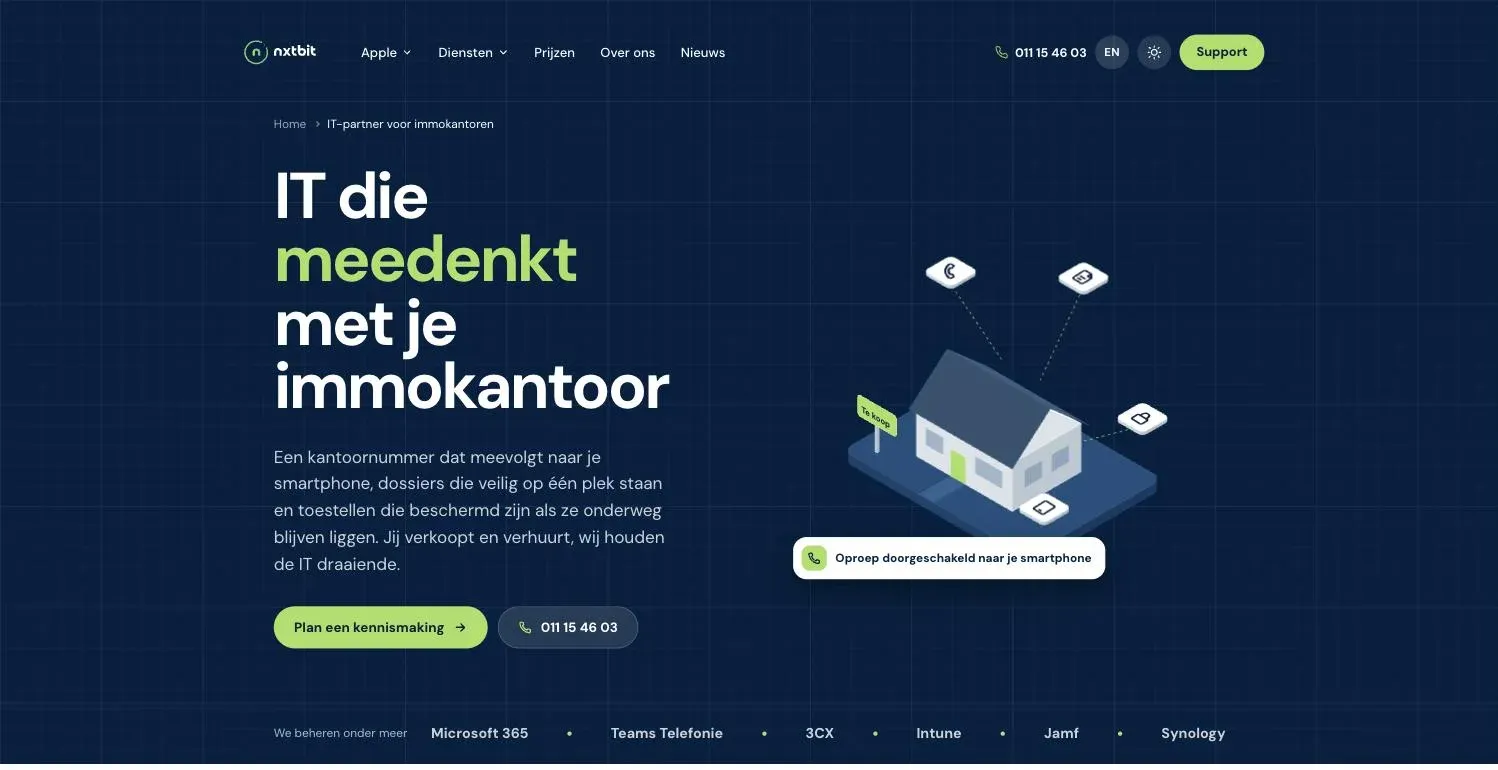
And this is only the beginning. More sectors are on the way. Don't see yours yet? Do let us know, so we know where best to start.
Accessible and clearly structured
A website is only truly good when everyone can use it. Whether you work with a mouse, the keyboard or a screen reader, or would simply rather not have animations dancing about.
You can use the site entirely with the keyboard, with a clear marker showing where you are. A single key lets you skip past the menu, straight to the content.
Screen readers such as VoiceOver and NVDA find their way thanks to a logical structure, clear labels and descriptive text for images. Is reduced motion switched on on your device? Then our animations keep still.
The office drawing doesn't leave anyone behind either: below the illustration, All items as a list opens the same explanations as a plain list.
The customer portal: all your IT in one place
Printer. Pen. Scanner. Email. Four steps for a single yes. That could be shorter.
In the customer portal at portal.nxtbit.be, you open a quote and see what you're ordering on the left and the full document on the right. You choose how to pay: simply by invoice, or by direct payment. In the example below, paying directly earns a 2% discount, and you see that reflected in your total straight away. You can order the full quote, or just the lines you need.
Then you sign digitally, with your mouse or with your finger on the screen. Signing on someone else's behalf? Just indicate that. Paying by Bancontact or instant bank transfer? Then your order is confirmed immediately. And if something isn't right, you request a change in the portal and your contact person prepares a new version. Or you decline the quote. That's fine too, no fuss.
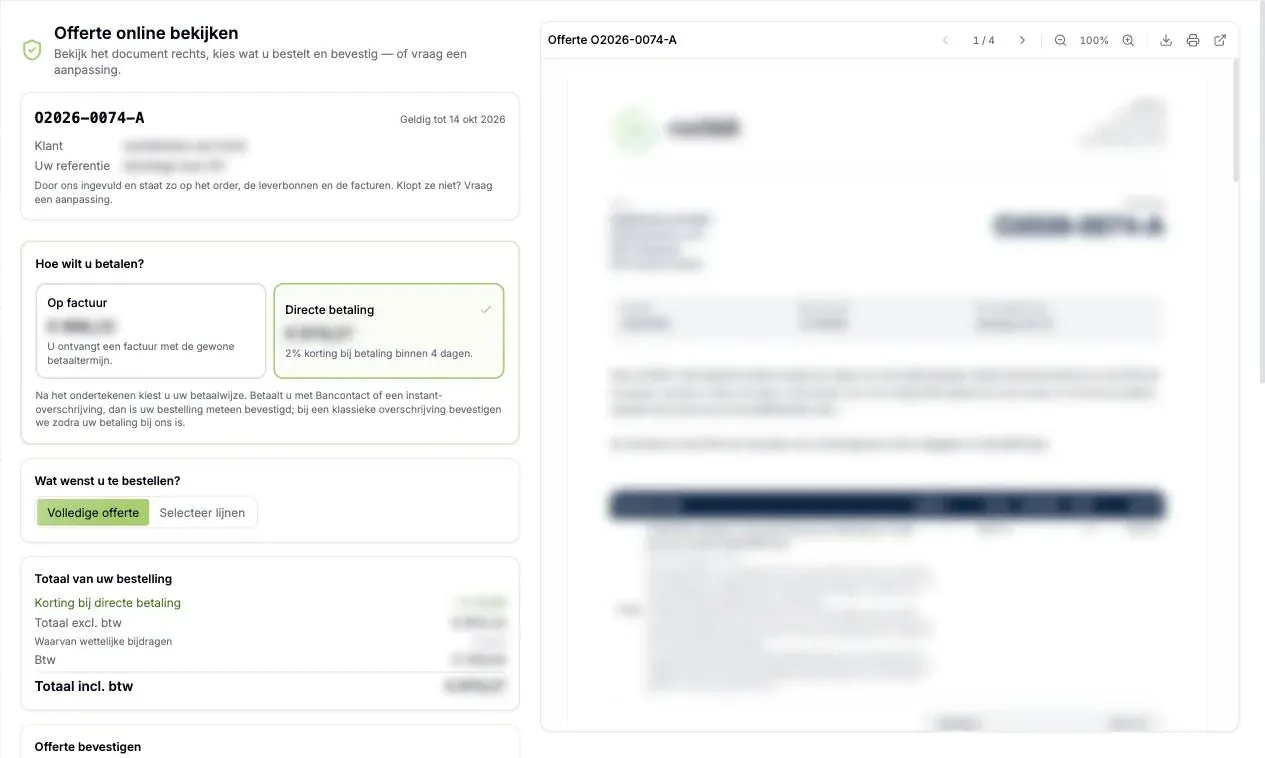
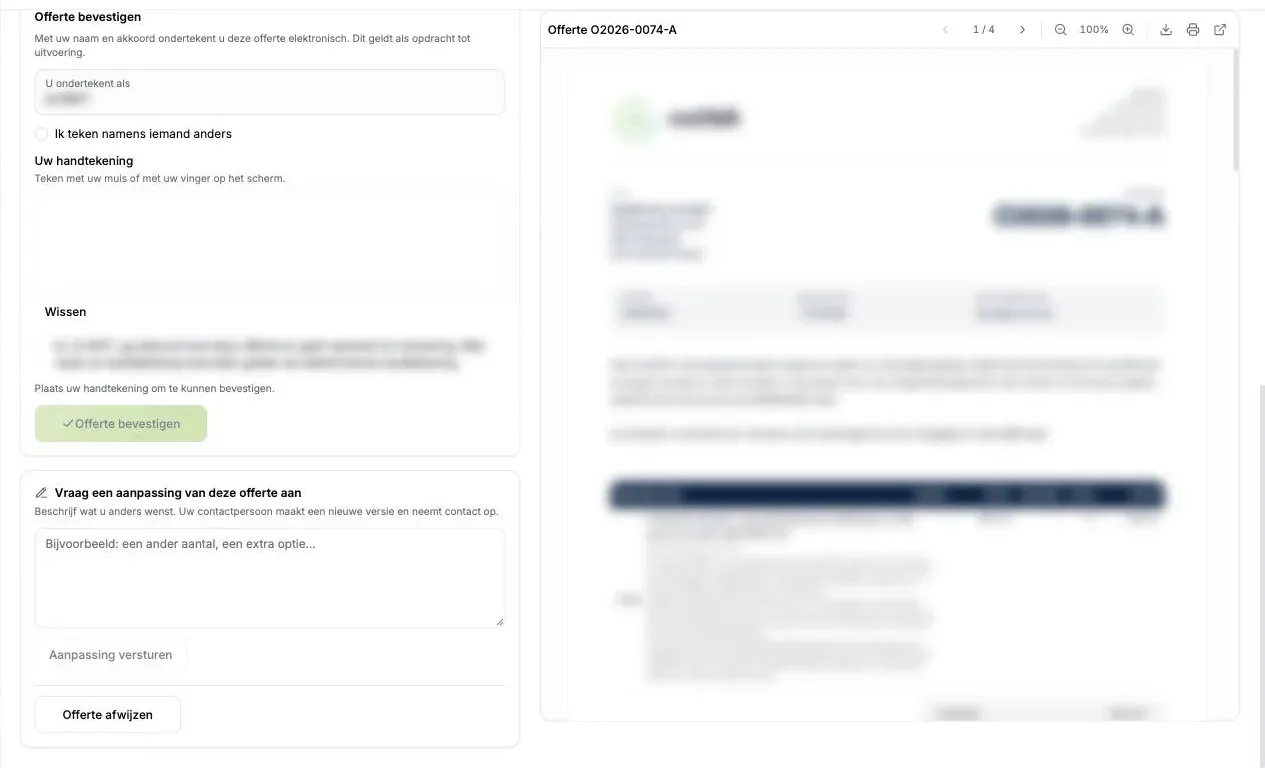
The portal screenshots come from a real client account. Names, amounts and other client details have been blurred.
And that's not all
The portal is more than a quote machine. It's the place where everything about your IT and your work with nxtbit comes together.
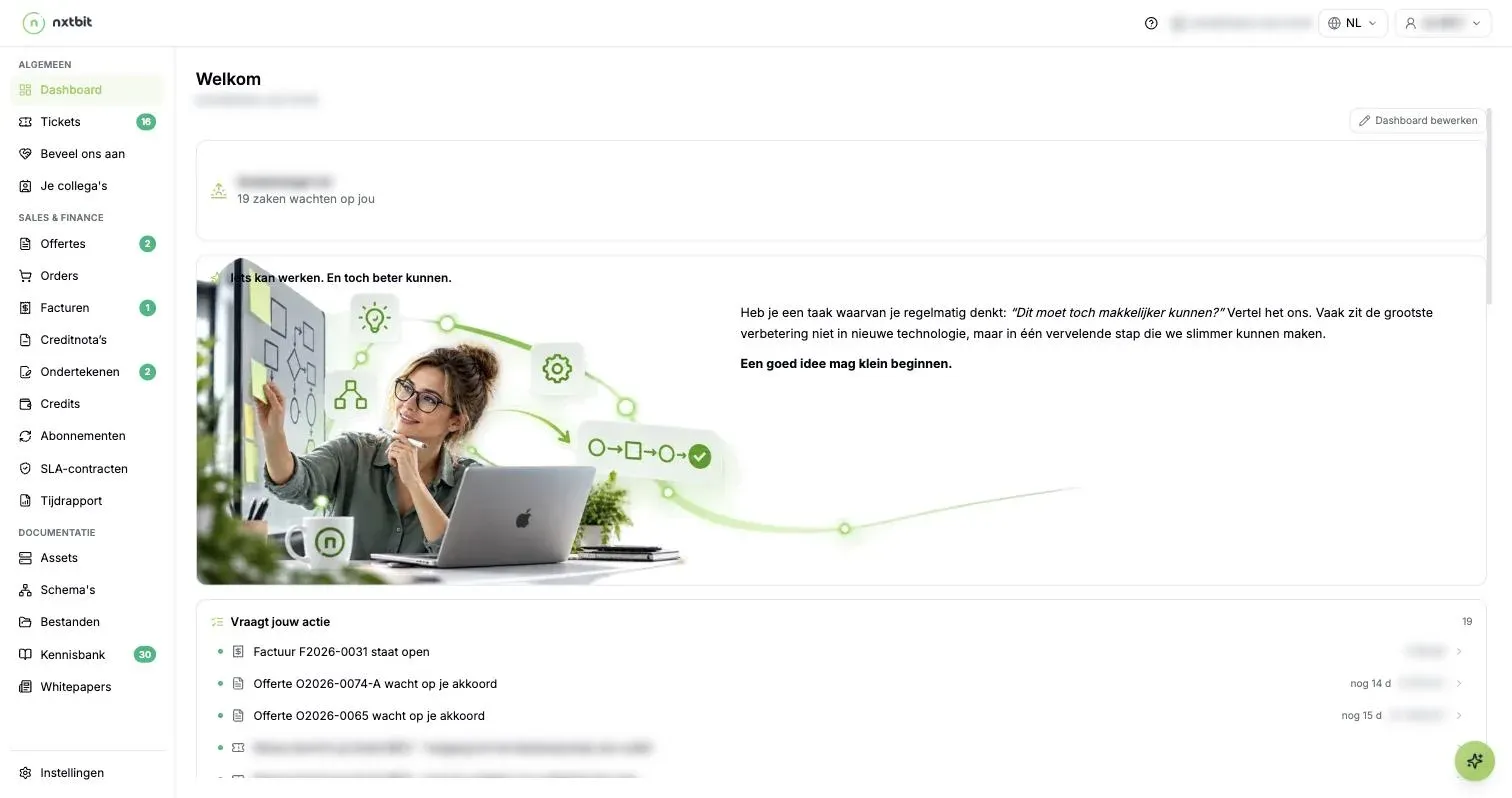
Your dashboard
One list: Needs your action. An outstanding invoice, a quote that's waiting, a new message on a ticket. One click and you're in.

Signing
Everything you sign with us: contracts, quotes and delivery notes. You can see at a glance what's still waiting for your signature.
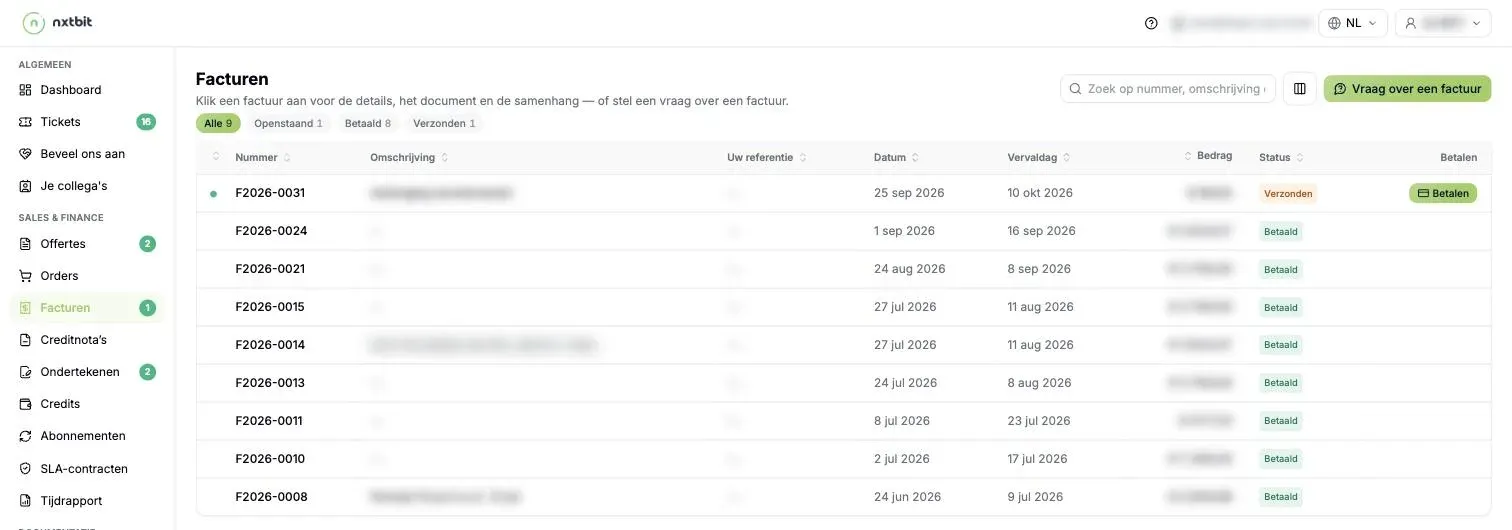
Invoices and credit notes
With status and due date. You can pay an outstanding invoice directly with the Pay button, and ask a question right there too.
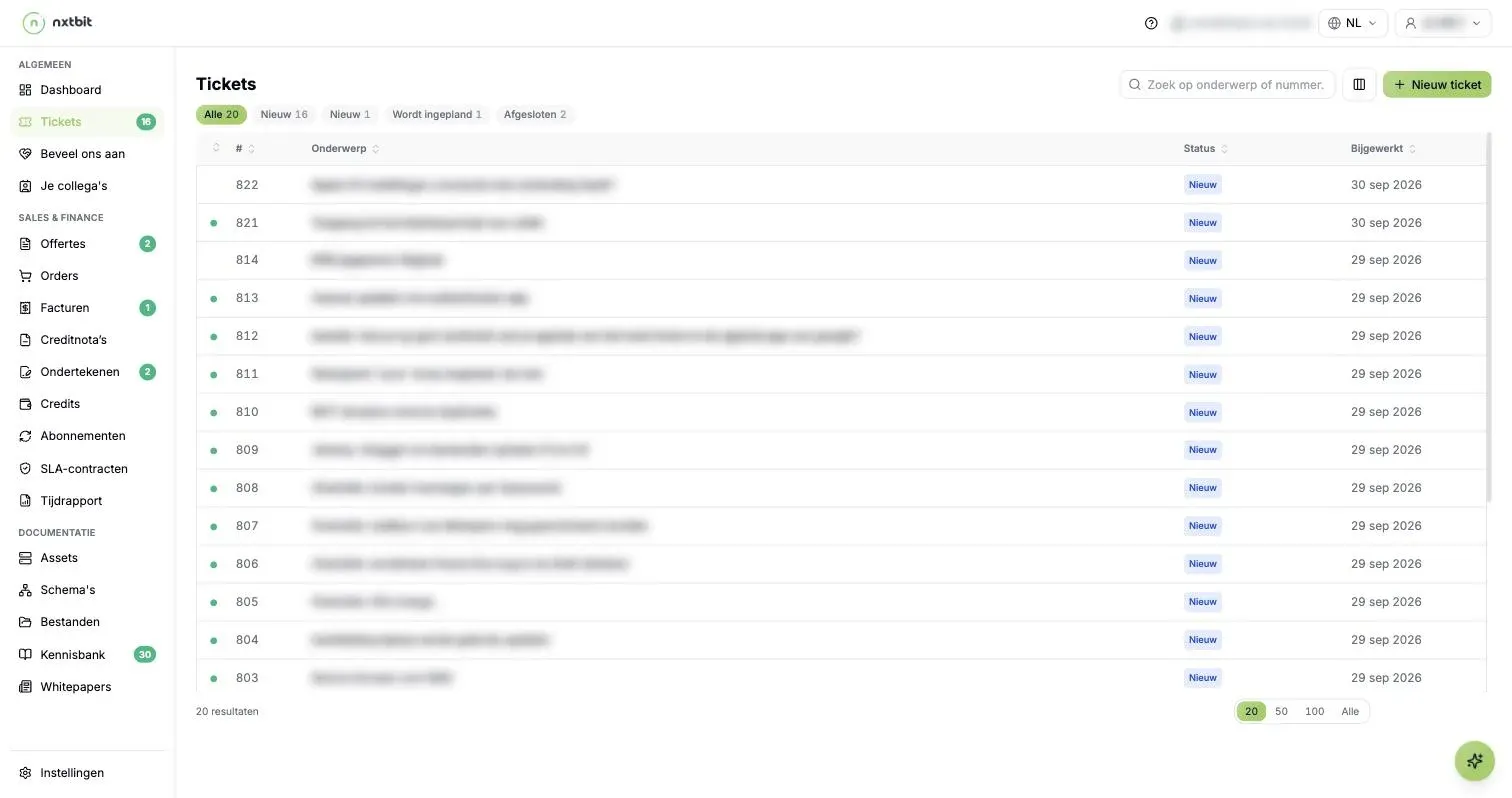
Tickets and time report
Report a problem whenever it suits you and follow its status. The time report shows the time spent on your tickets, also as a PDF.
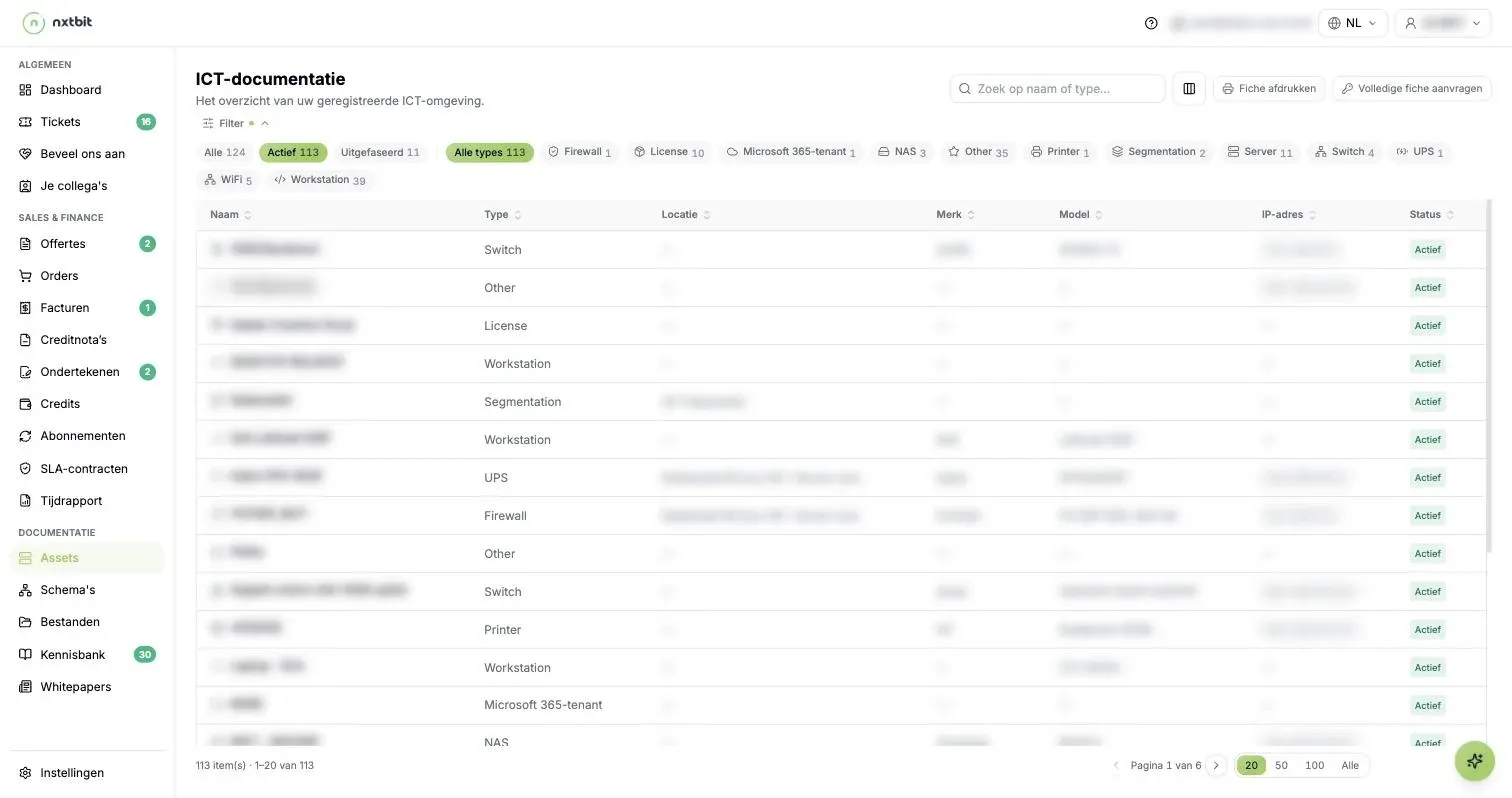
Your IT documentation
All your devices and licences by type, your network diagrams, files, a knowledge base, your subscriptions and SLA contracts.
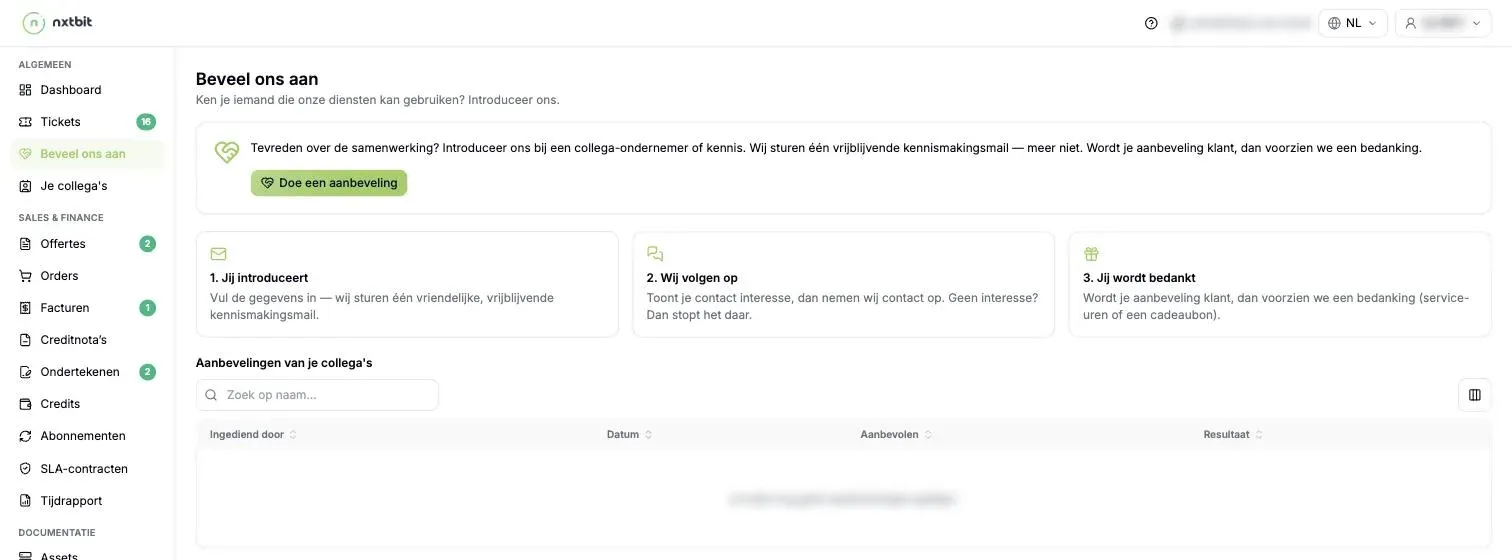
Recommend us
Introduce us to a fellow business owner. We send a single no-obligation email. If they become a client, you get a thank-you: service hours or a gift voucher.
Transparency isn't a slogan for us. In the portal, you can see for yourself what we manage for you, what's in progress and what it costs.
Any questions?
Do I need to do anything as a client?
Nothing at all. Just carry on working the way you're used to. Don't have access to the customer portal yet? Let us know at [email protected] or on 011 15 46 03 and we'll set it up for you.
What does my signature in the portal mean?
When you confirm a quote in the portal, your name together with your signature counts as an electronic signature and as an instruction to carry out the work. This is also stated word for word when you sign.
Where can I find the English version?
Click EN at the top of the page, or go straight to nxtbit.be/en.
Does the site work with VoiceOver or another screen reader?
Yes. If you do get stuck somewhere, we'd love to hear about it. That's the only way we can make it better.
So, what do you think?
A website is never finished. Spotted something that could be better, missing some information, or think our office drawing is one plant short? Let us know at [email protected]. We read everything.
Curious what nxtbit can do for your business?
A no-obligation introductory call, in plain language.