

Apple Business for SMEs
Since April 2026, Apple Business Manager has been called Apple Business, and it can do a lot more. What the platform does, what works in Belgium today and how to put it to good use in your business.

If your business uses Apple devices, sooner or later you will have come across Apple Business Manager: the place where you link Macs, iPhones and iPads to your company. On 14 April 2026 the platform got a new name and a substantial upgrade. It is now called Apple Business, and it brings three former services together in one free environment. Apple Newsroom heise
For an SME that is good news, but it also raises questions. Do you still need a separate management platform? What works in Belgium and what doesn't? And what should you do if you already used Apple Business Manager? This guide sets it all out, in plain language.
In short
What is Apple Business?
Apple Business is Apple's central platform for organisations. It handles three things: your devices and the people who use them, the apps you distribute and how your business appears in Apple Maps and Mail. Apple Business User Guide
The platform is free, runs in the browser at business.apple.com and is available in more than 200 countries. Not every feature is available everywhere, though; further down you can see what works in Belgium. Apple Newsroom Apple Business User Guide
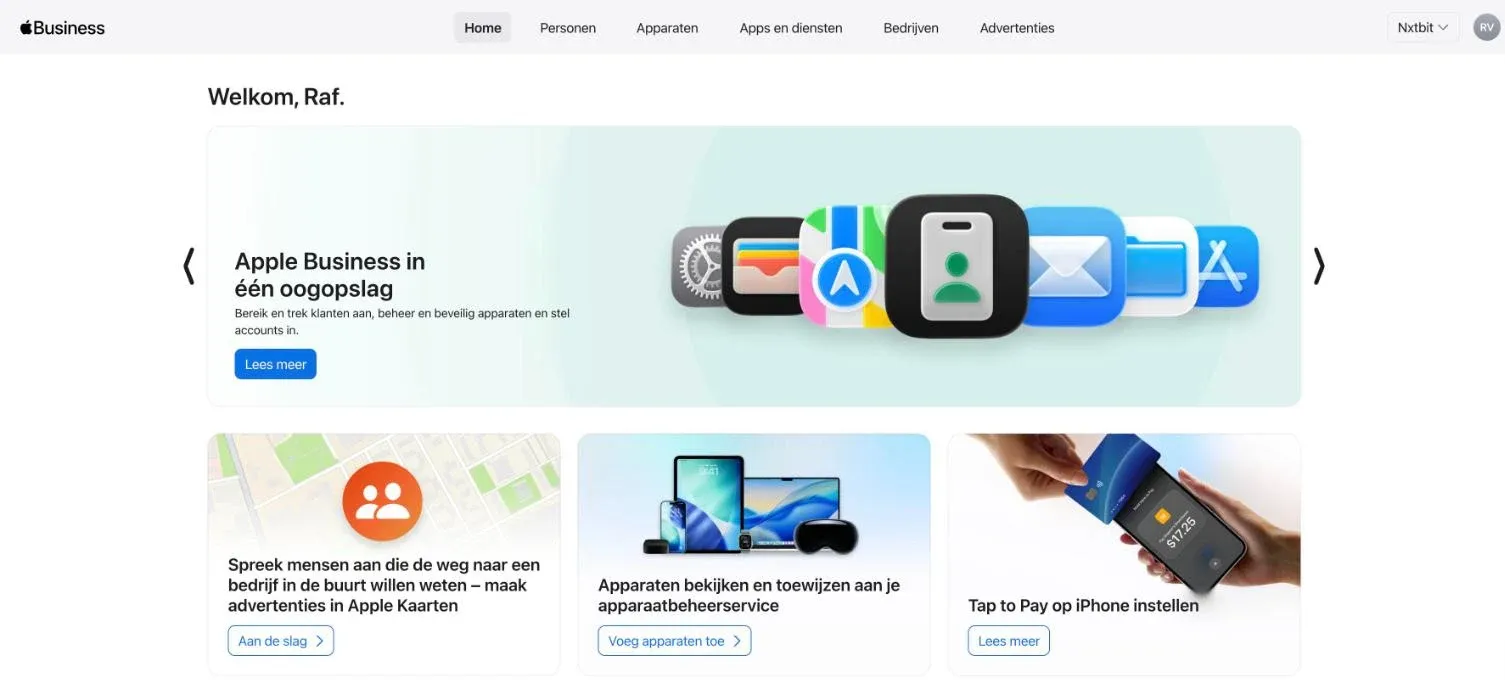
Devices and staff
Link devices to your business, set them up with blueprints and give your staff a Managed Apple Account.
Apps and books
Buy and distribute licences centrally, without staff paying themselves or using their personal account.
Your business at Apple
Your name, logo, opening hours and photos in Apple Maps, plus your logo next to the emails you send.
From Apple Business Manager to Apple Business: what changes?
Already using Apple Business Manager? Then there is little for you to do. Your organisation, your devices and the link with your management platform all carry on in Apple Business: it is the same environment, with a new name and more features. What used to sit in three separate services is now in one place. Apple Newsroom
| Before | What it did | Now in Apple Business |
|---|---|---|
| Apple Business Manager | Linking devices to your business, managed accounts, buying apps | Devices, staff, Get Apps and Get Books |
| Apple Business Essentials | Paid subscription for device management | Built-in device management, free |
| Apple Business Connect | Your business details in Apple Maps | Brand and location management, details carried over automatically |
It is a good moment, though, to check who the administrator is, whether your domain is verified and whether all your devices are really in there. In practice, those are exactly the three things that have often fallen out of date.
What works in Belgium today?
Apple Business is available worldwide, but Apple doesn't roll out every feature everywhere at the same time. This is where things stand for Belgium in October 2026, based on Apple's own overview. Apple Support
| Feature | In Belgium | What you do with it |
|---|---|---|
| Built-in device management | Available | Settings, apps and security for Mac, iPhone and iPad |
| Zero-touch deployment | Available | New devices set themselves up the first time someone signs in |
| Managed Apple Accounts | Available | Work accounts for your staff, linked to Microsoft 365 |
| Get Apps and Get Books | Available | Buy and distribute licences for apps and books centrally |
| Brand and location management | Available | Manage your business's place card in Apple Maps |
| Branded Mail | Available | Your logo next to the emails you send to Apple users |
| Tap to Pay on iPhone | Available | Accept contactless payments on an iPhone |
| Business email, calendar and directory | Not yet | For now, only in the United States |
| Buying extra iCloud storage | Not yet | For now, only in the United States |
| AppleCare+ for Business | Not yet | For now, only in the United States |
What does that mean in practice? For email, calendar and files, Microsoft 365 remains your foundation. That is no drawback: Apple Business and Microsoft 365 work well together, and your staff sign in on their Mac and iPhone with the same work account. Apple is expanding what it offers country by country; we will update this guide as soon as anything changes for Belgium.
Zero-touch: what happens before the box arrives
The best-known strength of Apple Business is zero-touch deployment. A new device goes straight from the supplier to your employee, unopened. The first time it is switched on, the device recognises that it belongs to your business and sets itself up with the right settings, apps and security. Apple Business User Guide
Purchase
From an authorised supplier, with your organisation ID
Registration
The device appears in your Apple Business and is linked to your management platform
Unboxing
Your employee switches the device on and signs in with their work account
Ready
Settings, apps and security are in place. Time to get to work.
One important point: this only works for devices you buy from Apple, an Apple Authorised Reseller or an authorised carrier, with your organisation linked to the purchase. A device from an ordinary shop, or one bought privately, can be added afterwards with Apple Configurator, with a few limitations. Apple Business User Guide
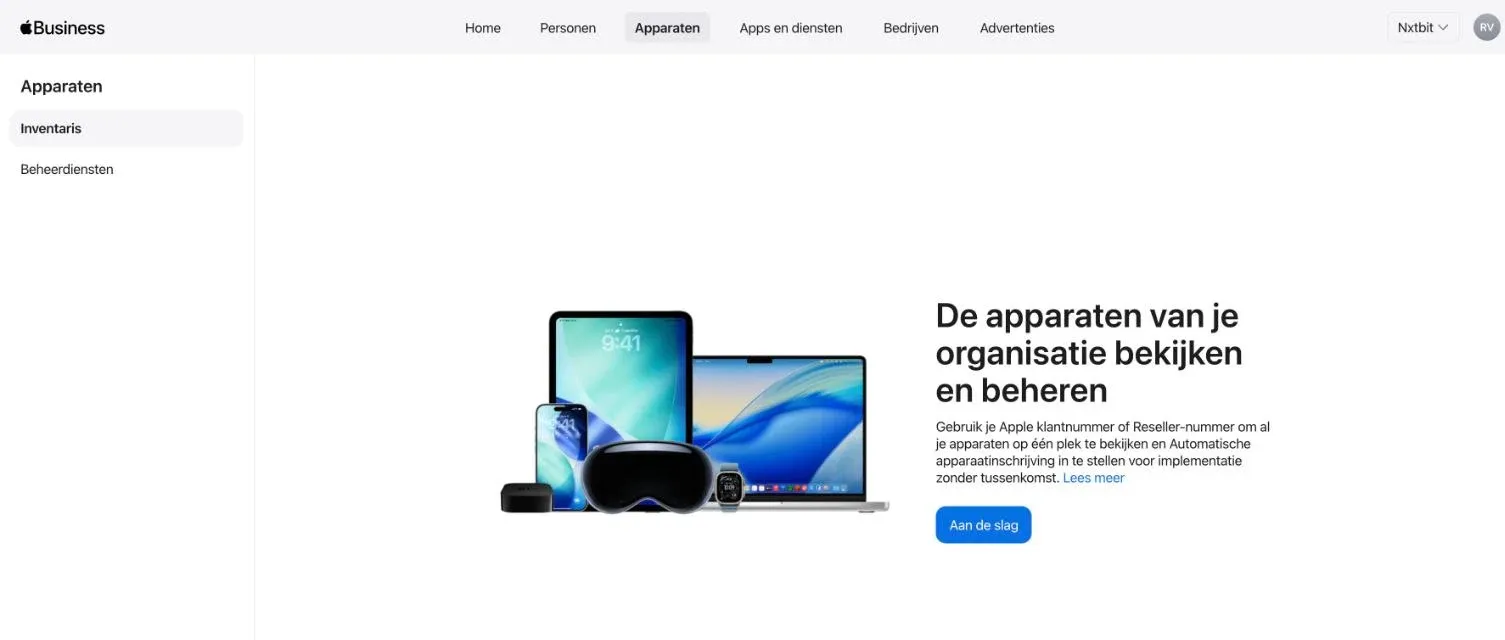
How we handle this when you buy new Macs, iPhones and iPads, from advice for each role to delivery and financing, is explained on our page Apple for your business.
Managed Apple Accounts and Microsoft 365
A Managed Apple Account is an Apple account that belongs to your business, not to your employee. If someone leaves, the data and licences stay with you.
Link Apple Business to Microsoft Entra ID, the accounts behind Microsoft 365, and Apple creates those accounts automatically for new staff. They sign in with their usual work address and password. Google Workspace is supported in the same way. Apple Newsroom Apple Business User Guide
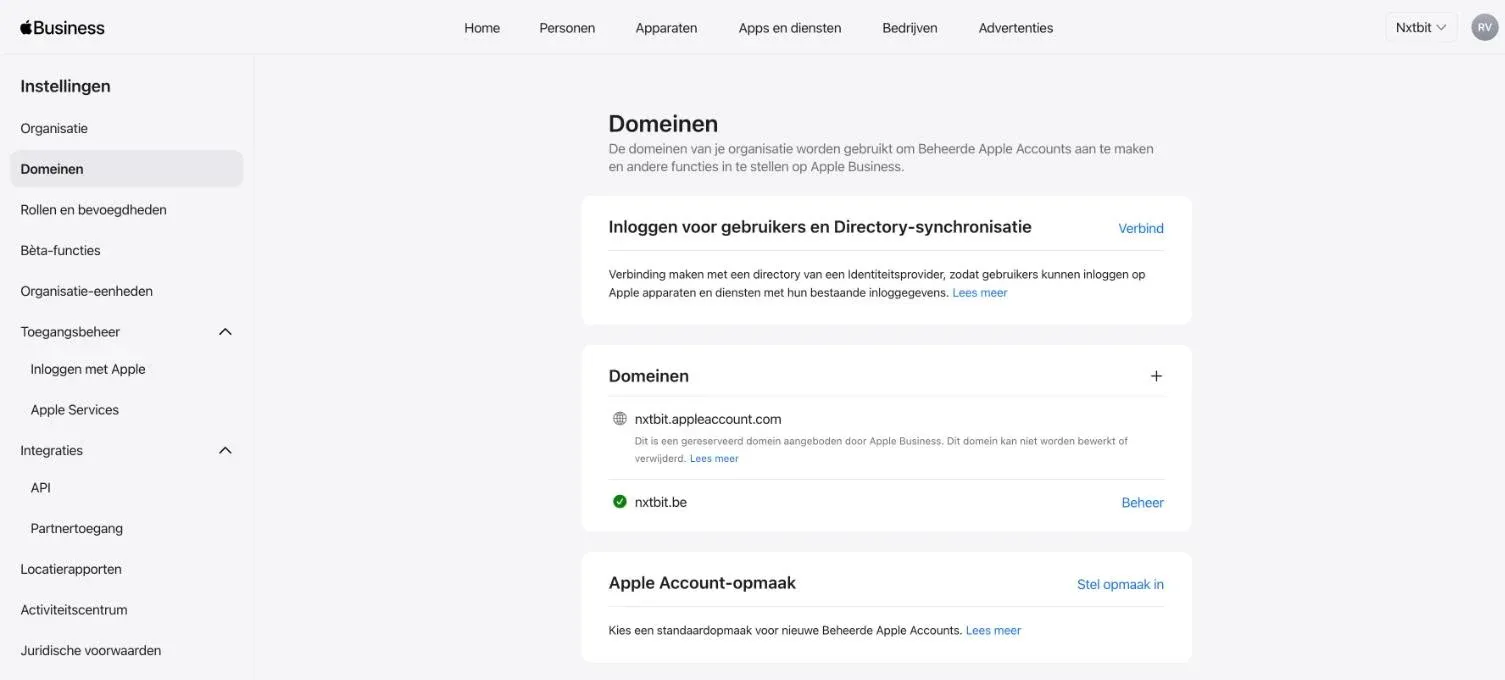
On the device, work and personal data are cryptographically separated. Apple Newsroom On company devices you can also stop anyone signing in with a personal Apple Account.
Watch out: are staff already using their work address for a personal Apple Account? It happens more often than you might think. When you link your domain, Apple asks them to give that personal account a different email address. Let your team know beforehand, so nobody gets caught out.
Built-in management or a full management platform?
The built-in management in Apple Business is a solid foundation. With blueprints and configurations you set up Wi-Fi, VPN, certificates, password rules, FileVault encryption, the firewall and a web filter. You can enforce updates with a deadline, distribute apps and lock or erase a device remotely.
Apple Business also lets you link one or more external management platforms, such as Microsoft Intune or Jamf. Apple Business then remains the place where your devices are registered; the management platform takes over security and day-to-day follow-up. Apple Business User Guide
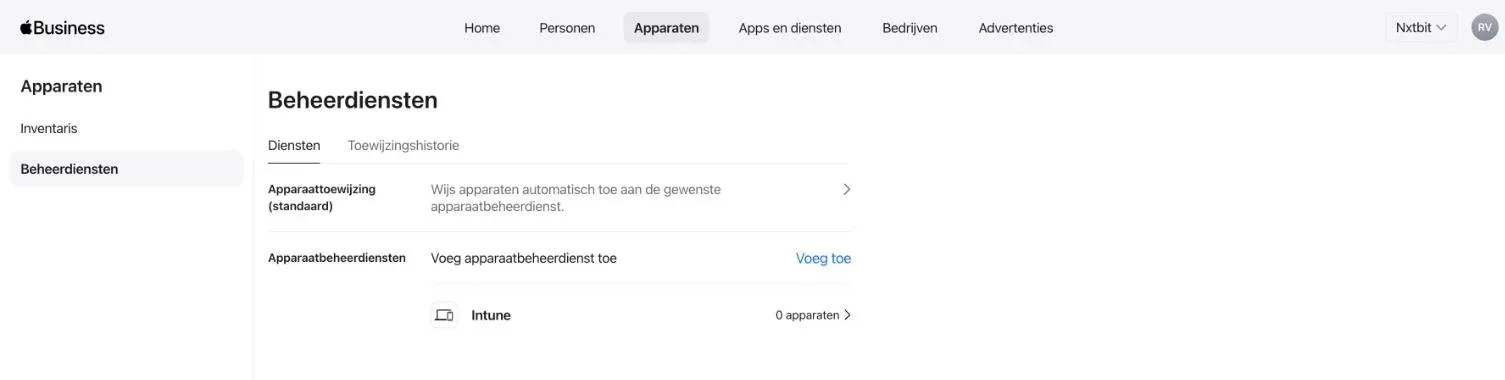
What Microsoft Intune adds
Intune is Microsoft's management platform. It is included, together with Microsoft Defender for Business, in Microsoft 365 Business Premium. Many SMEs are therefore already paying for it without using it.
What Jamf adds
Jamf specialises in Apple and, since 2026, also manages Android devices. Jamf Blog You can tell that Apple is at its core from the depth of its Mac management and from its speed: Jamf supports new versions of macOS, iOS and iPadOS from the day Apple releases them. Jamf press release
The three side by side
| Apple Business built-in | Intune | Jamf Pro | |
|---|---|---|---|
| Set up Mac, iPhone and iPad: Wi-Fi, VPN, FileVault, firewall | Yes | Yes | Yes |
| Enforce updates with a deadline | Yes | Yes | Yes |
| Zero-touch deployment | Yes | Yes | Yes |
| Windows PCs | No | Yes | No |
| Android devices | No | Yes | Yes |
| Access to Microsoft 365 from secure devices only | No | Yes | Yes, through integration with Microsoft |
| Protection against attacks (EDR) | No | Yes, with Microsoft Defender | Yes, with Jamf Protect |
| Self-service app store for staff | Limited | Yes | Yes, extensive |
| Automatically update third-party apps on the Mac | No | Limited | Yes |
| Scripts and automation | Limited | Yes | Yes |
| Licence | Free | Included in Microsoft 365 Business Premium | Separate licence |
Apple Business decides which devices are yours. Your management platform decides how they are secured. An SME that takes IT seriously needs both.
Which management platform should you choose? A decision guide in four questions
There is no single best choice for everyone, but there is a best choice for your business. Work through these questions from top to bottom. The first "yes" sets your direction.
Do you also use Windows PCs?
Yes: IntuneDo you work (almost) entirely on Mac, with a lot of Mac software, or do you want staff to install apps themselves from your own app store?
Yes: JamfDo you work with Microsoft 365, and should only secure devices reach your email and files?
Yes: IntuneDo NIS2, a client or your cyber insurer require you to demonstrate your security?
Yes: Intune or JamfThe built-in management in Apple Business is enough to get started. If your business grows or your needs change, you can switch later.
Apple Business built-in
Typical for
A sole trader or small team, Mac and iPhone only, with no strict requirements from clients or an insurer.
Intune
Typical for
An office with both Macs and Windows PCs, running entirely on Microsoft 365, that wants to lock down access to its data.
Jamf
Typical for
A design or architecture practice that works entirely on Mac, with a lot of specialist Mac software.
Not a final decision. From macOS 26, iOS 26 and iPadOS 26 onwards, you can move devices in Apple Business to a different management platform without erasing them. If you start today with the built-in management, you can switch to Intune or Jamf later without your staff having to start again. A combination works too: Jamf for the Macs, Intune for the Windows PCs.
At nxtbit we work with both: we are a Jamf Professional Partner and manage Intune environments for SMEs every day. We choose together with you what suits your business, not the other way round. Central device management and zero-touch deployment are included in every NXT plan. Find out more on our device management page.
Setting up Apple Business in five steps
Starting from scratch? Then this is what the process looks like. Most of the work is in steps 1 and 3: gathering the right details and linking your accounts properly.
- 1Gather your details. The name of an administrator (a person, not a role such as "IT"), a work email address that isn't already in use as an Apple Account, a work phone number, your company website and your customer number with Apple or your supplier's reseller number. Apple Business User Guide
- 2Sign up your organisation at business.apple.com and accept the terms. Apple then verifies your organisation. Apple Business User Guide
- 3Verify your domain and link Microsoft Entra ID, so your staff get a Managed Apple Account automatically. Apple Business User Guide
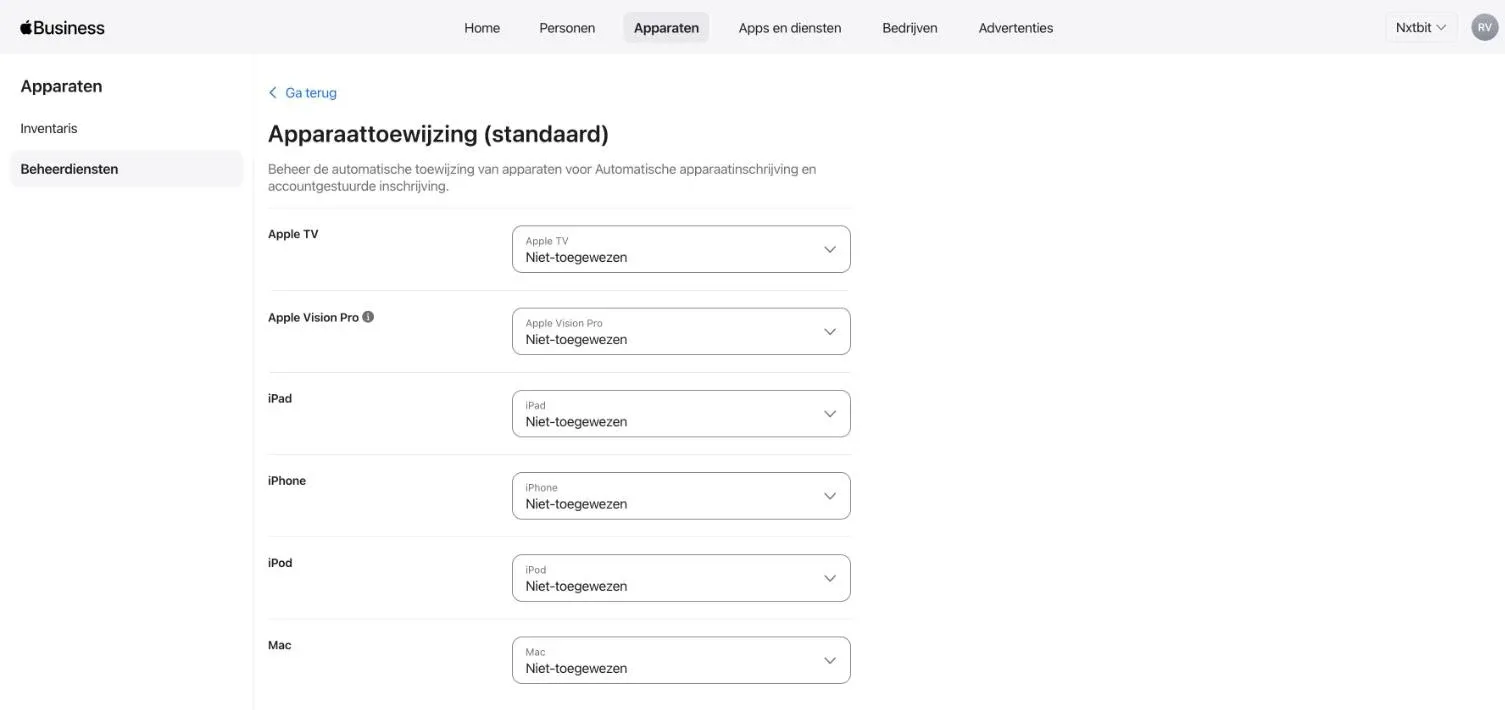
- 4Choose your management platform. Link Intune or Jamf, or start with the built-in management, and set which platform new devices are assigned to by default. Apple Business User Guide
- 5Give your organisation ID to your suppliers, so every new purchase appears in your Apple Business automatically.
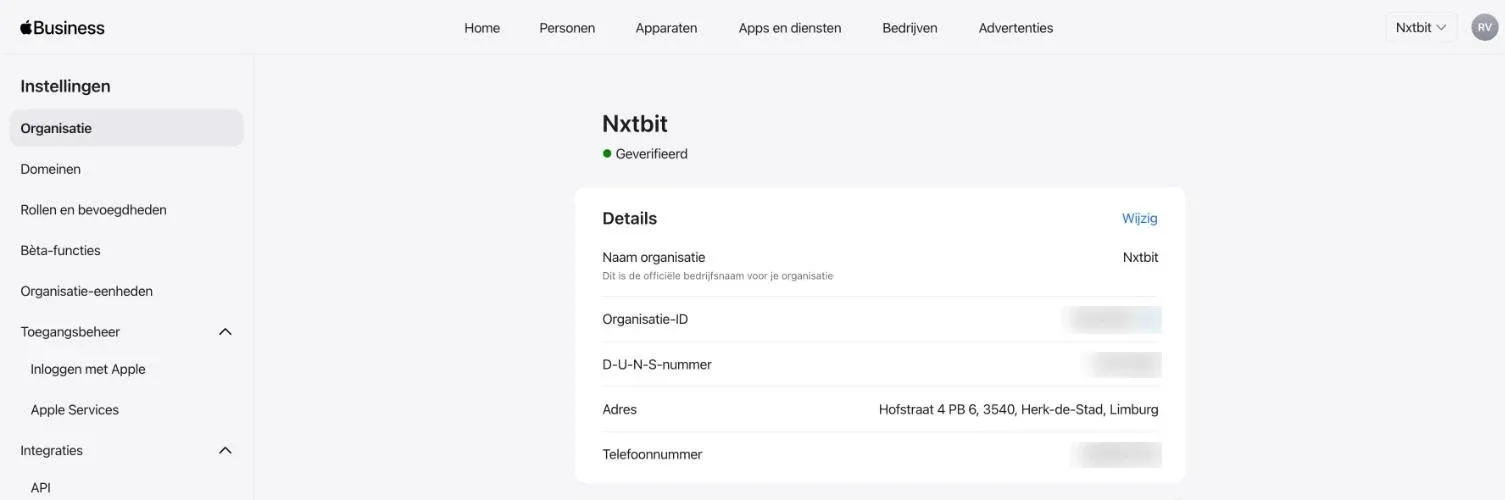
Tip: appoint at least two administrators. If your only administrator drops out, because they leave or fall ill, it becomes hard to get into your own environment. A second named administrator, or your IT partner, prevents that.
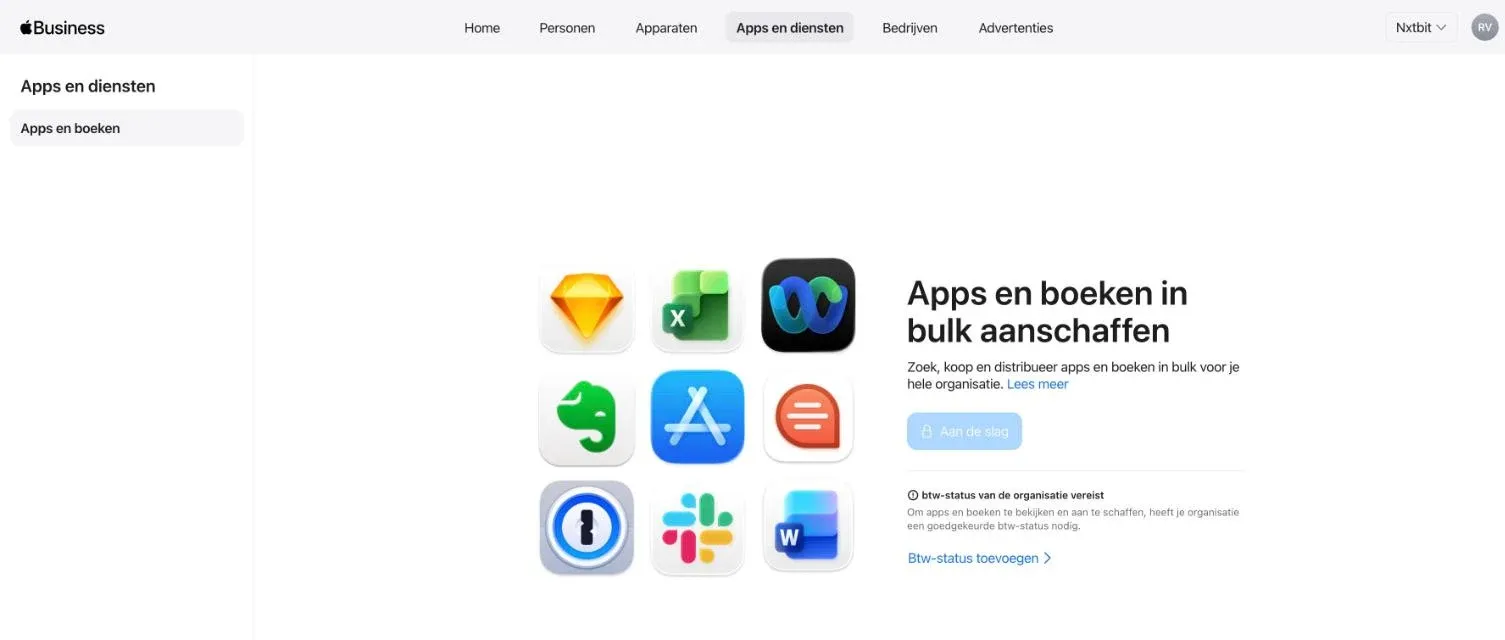
Want to buy apps or books through Get Apps? Then add your company's VAT details as well. Without an approved VAT status, you can't view or buy apps or books in Apple Business.
Your business in Apple Maps
Apple Business also takes over the tasks of Apple Business Connect. This is where you manage your business's place card in Apple Maps: name, logo, opening hours, photos and actions such as booking an appointment. You can also see how people find you and what they click on. And with Branded Mail, your logo appears next to the emails you send to Apple users. Apple Newsroom

Do you welcome clients at an office, a practice or a shop? Then this is a quick win, alongside your Google Business Profile.
Frequently asked questions about Apple Business
Is Apple Business really free?
Yes. The platform itself, including the built-in device management, is free. A full management platform does have its own licence; Intune, for example, is included in Microsoft 365 Business Premium.
I used Apple Business Manager. Do I need to do anything?
No, your environment carries on in Apple Business. Do check who the administrator is, whether your domain is verified and whether all your devices are really in there.
Can I use Apple Business for business email?
Not in Belgium. Email, calendar and directory are only available in the United States for now. For a Belgian SME, Microsoft 365 remains the logical choice.
Does Apple Business work for Windows PCs too?
No, Apple Business is for Apple devices. You manage Windows PCs with Intune and Windows Autopilot. If you link Apple Business to Intune, you see Mac, iPhone, iPad and Windows in one overview.
Intune or Jamf: which is better?
That depends on your environment. If you have a mixed fleet and already work with Microsoft 365, Intune does what you need. If you run entirely on Apple or want to fine-tune your Mac management down to the last detail, Jamf is the stronger choice.
Can I still switch to Intune or Jamf later?
Yes. From macOS 26, iOS 26 and iPadOS 26 onwards, you can move devices in Apple Business to a different management platform without erasing them. Older devices do need to be set up again.
What happens to a device when an employee leaves?
The device stays with your business. You erase it remotely, and the next time it starts up it sets itself up again for the next colleague.
I'm selling or giving away an old device. What should I watch out for?
Remove it from Apple Business first. Otherwise it stays linked to your organisation and the new owner can't set it up freely.
Can I also add devices I bought elsewhere?
Yes, with Apple Configurator. That takes a manual step for each device and comes with a few limitations. For new purchases, it pays to buy from an authorised supplier from the start.
Apple for your business
Macs, iPhones and iPads to suit every role, delivered zero-touch and paid for up front or in instalments.
See the rangeDevice management
Mac, iPhone, iPad and Windows in one platform, secured from the very first sign-in.
Find out moreWant Apple Business set up for you?
We set up your Apple Business, link it to Microsoft 365 and your management platform, and make sure your next device installs itself. Already have an environment? Then we'll give it an honest review.
Sources
Apple, Introducing Apple Business: a new all-in-one platform for businesses of all sizes, March 2026, accessed 8 October 2026 via Apple Newsroom.
Apple, Available services and features for Apple Business, accessed 8 October 2026 via Apple Support.
Apple, Intro to Apple Business, Apple Business User Guide, accessed 8 October 2026 via Apple Support.
Apple, Requirements for Apple Business, Apple Business User Guide, accessed 8 October 2026 via Apple Support.
Apple, Intro to device management services and Create a Software Update configuration in Apple Business, Apple Business User Guide, accessed 8 October 2026 via Apple Support.
Microsoft, Why choose Microsoft 365 Business Premium?, accessed 8 October 2026 via Microsoft Learn.
Jamf, Jamf Management Product and Plan Comparison, accessed 8 October 2026 via Jamf.
Jamf, Android and Jamf: manage and secure your mobile fleet, 23 March 2026, accessed 8 October 2026 via Jamf Blog.
Jamf, Jamf Announces Same-Day Support for Apple's Latest Operating System Releases, accessed 8 October 2026 via Jamf.
heise online, Apple Business: Free all-in-one platform for companies launches, March 2026, accessed 8 October 2026 via heise.
Screenshots: Apple Business, nxtbit's own environment (Dutch-language interface), taken on 8 October 2026.