

The new Mac mini and Mac Studio

Apple today announced the new Mac mini and Mac Studio models. Both have been upgraded in ways that can make all the difference for demanding (AI) workflows. They're available from 22 September and ship with the new macOS 27, Golden Gate, as standard.
Mac mini: power in a compact form
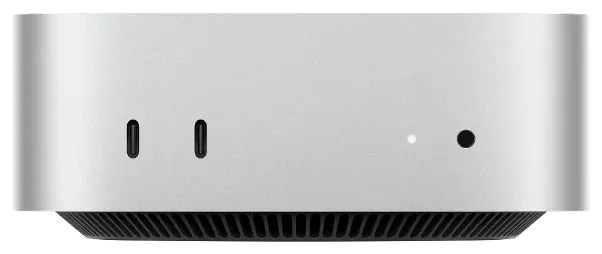
The Mac mini remains Apple's entry-level model, but the M6 chip gives it a solid leap in performance. Apple itself quotes a 40 per cent faster CPU, a GPU that's twice as fast, and AI processing up to 4 times faster than the M4. For specific tasks such as running local AI models, the gap even grows to 4.8 times.
You get 16 GB of unified memory as standard, expandable to 32 GB with the M6 and 64 GB with the M5 Pro. It drives two 6K displays plus an additional 5K display, more than enough for office tasks, browsing and everyday desk work.
Does your work revolve around video editing or 3D rendering? Then the M5 Pro version is a better match: 15 to 18 CPU cores, 16 to 20 GPU cores, up to 64 GB of memory and 307 GB/s of bandwidth. Architects working in BIM software such as Vectorworks or ArchiCAD, or rendering in Rhino and Twinmotion, will notice the difference too: complex building models run noticeably more smoothly thanks to the extra GPU power and the larger memory.
Mac Studio: for heavy professional workloads
The Mac mini is aimed at a broad audience; the Mac Studio is clearly aimed at professionals. You can see that in the memory alone: 64 GB as standard, compared with 16 to 32 GB in a typical Mac mini. Video professionals working with uncompressed 8K footage, 3D artists, architects with large BIM models and photorealistic renders, or developers running large AI models locally: this is their machine.
There are two versions. The M5 Max, the same chip that debuted in the MacBook Pro earlier this year, offers up to 18 CPU cores, 40 GPU cores and a 16-core Neural Engine. If you need more, there's the brand-new M5 Ultra, Apple's first quad-die chip, with up to 36 CPU cores, 80 GPU cores, a 32-core Neural Engine and up to 256 GB of memory. From October, there will even be a 512 GB version, with unprecedented bandwidth of 1.2 TB/s.

Compared with the previous M3 Ultra, Apple claims 25 per cent faster single-threaded performance and 30 per cent faster multithreaded performance, plus up to 40 per cent faster graphics and 4.5 times more AI computing power.
Which device suits which profile
Office and administration
Mac mini with M6. More than enough for email, accounting, browsing and most office software. The entry-level configuration with 16 GB is sufficient for most employees.
Architects and creative roles
Mac Studio with M5 Max for consistently heavier BIM models, renders and video editing in 4K or 8K.
AI development and heavy datasets
Mac Studio with M5 Ultra. Up to 256 GB of memory (512 GB from October) lets you run large AI models entirely locally, without sensitive data having to go to external servers.
What this announcement means for your business
Does your whole Mac fleet need replacing now that there's a new chip? Usually not. It's better to look at which devices are reaching the end of their life cycle, and which employees would genuinely benefit from extra computing power or memory.
A life-cycle report like this comes as standard with our NXT managed services. Take a look here.
Frequently asked questions
Should we replace our Mac minis now?
Why is the Mac Studio interesting for an architecture practice?
Can a new device run AI models locally, without the cloud?
Does nxtbit also help with rolling out new Macs?
Not sure which device is right for your team?
We give independent advice on the right configuration for each employee, and on how we can take your business to the next level.